Empower your tenants!
- Empower your tenants and give them control of their own after hours airconditioning
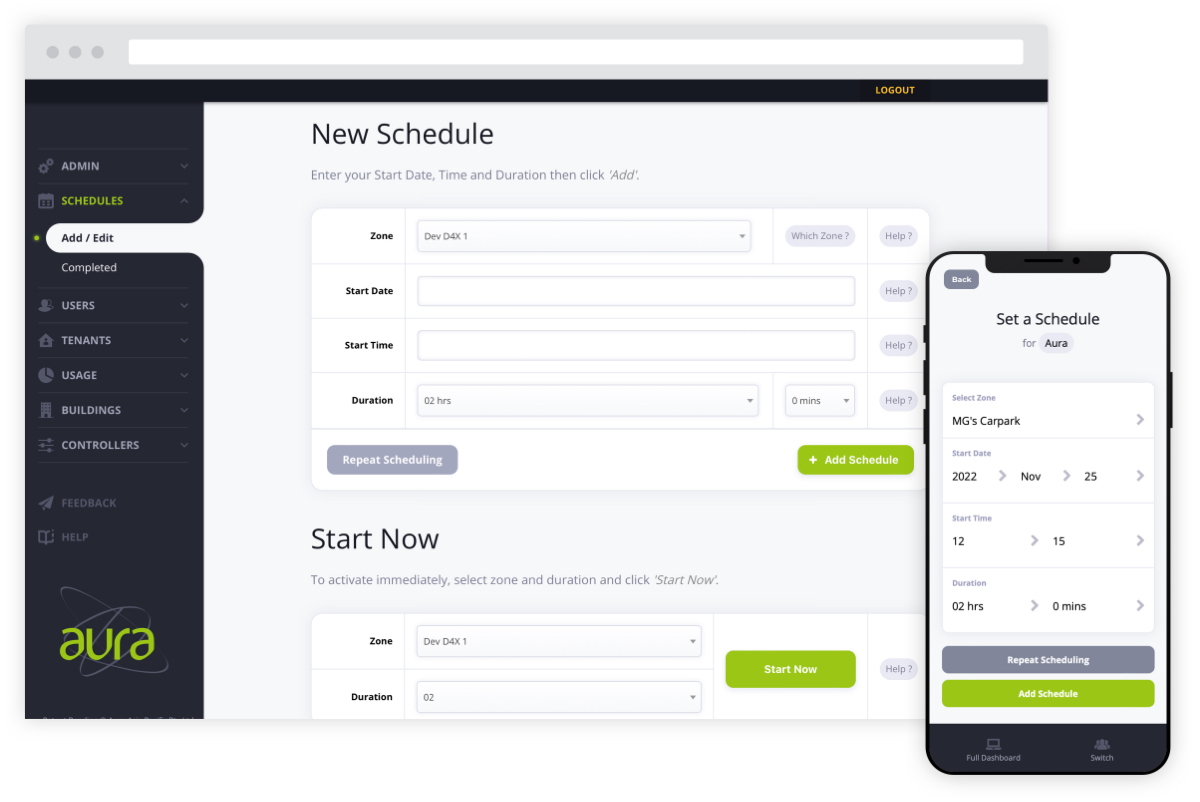
- Easily set after-hours air conditioning schedules via the internet.
- Set repeat schedules for those busy periods or late meetings.
- Turn off the air conditioning when or after you leave (after hours) saving the planet and saving you money.
- Review schedules set by other staff members
- Manage users within your tenancy (add, edit, delete)
The property professional advantage
Aura takes the after-hours burden away from Building Managers.
It is packed with features!
- Print invoices, export usage data or modify tenants details all via the internet
- Aura can interface with nearly all BMCS
- Bespoke pricing for individual tenants
- Minimise disputes – All schedules are logged with date, username, activation time and duration (NABERS compliant)
- Can be “retro-fitted” to buildings without a BMS
- Gives older buildings a technology upgrade!
- Option to operate normal hours air conditioning by using the permanent scheduling feature as an integrated time clock – (supported only in some situtations)
- Schedule daylight savings changes and public holidays automatically!
- No need to ever update the software (that’s our job and we do it as part of the package)
and much, much more …